

برنامج المؤسسات / تحليل الوصول

ACCESS SCOPE · ENTERPRISE 0.9.0

أسئلة وصول معقدة، وسير عمل يمكن تتبعه.

يجمع AccessScope هويات الدليل وعلاقات المجموعات وأدلة أذونات التخزين المجمعة ضمن سير تحقيق محدود النطاق. يستطيع المسؤولون معرفة المصدر الذي تمت ملاحظته ووقت الملاحظة والقيود المهمة عند تفسير النتيجة.

تجربة لمدة 30 يوماًOn-premisesAD / LDAP / Storage
ACCESS / EVIDENCEv0.9.0
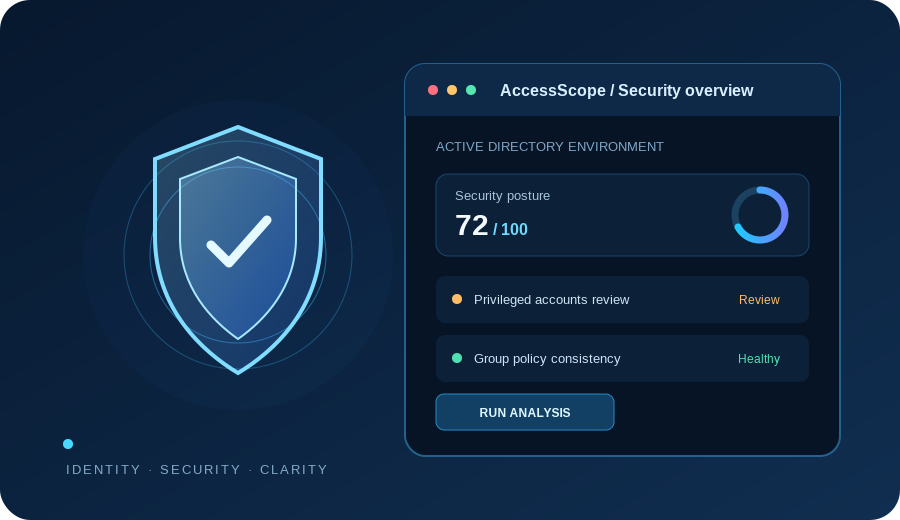
Illustrative AccessScope permission investigation interface
عرض توضيحي للمنتج
DIRECTORY USER → GROUP
EVIDENCE ACL · SOURCE · TIME
23Application pages mapped
97API operations documented
462UI controls catalogued
v0.9.0Documented product baseline
01 / نظرة عامة

ابدأ ببساطة وتعمّق عند الحاجة.

ابدأ بمجلد معتمد أو قائمة مسارات صريحة. استعرض الهويات والمجموعات، وافحص طبقات الأذونات ذات الصلة، ثم احفظ سياق التحقيق أو صدّر الأدلة المحددة. التصفح المعتاد لا يطلق مسحاً غير محدود للبيئة.

Directory identitiesNested groupsStorage evidenceAuditable scope
معلومات المنتج الكاملةالوثائق الأصلية للإصدار v0.9.0 · الإنجليزية

AccessScope helps administrators investigate directory membership and folder permissions in their own environment. Bring directory identities, nested groups and collected storage permission evidence into one workspace, while retaining the scope and time of every observation.

Know which question you are answering

  • Who is this identity? Browse a connected directory, search users and groups, and inspect stable identifiers and membership.
  • What permissions were observed? Inspect an approved folder, view filesystem and available share evidence, and retain the observation time.
  • How might access be inherited? Trace nested group relationships to observed allow and deny entries.
  • What changed? Compare retained observations. Differences do not, by themselves, identify the administrator who made the change.
  • What should happen next? Review findings, export scoped evidence, and use independently approved change workflows where a supported write adapter exists.

Keep your investigation in your environment

AccessScope runs on your server. Directory and storage connections use identities you configure and permissions you delegate. The v0.9.0 product does not send your directory inventory, ACL evidence or investigation history to a WeserCode licensing API.

The normal collection workflow reads metadata, not file contents. Governed infrastructure changes are a separate capability, disabled at deployment by default and subject to additional authorization and confirmation.

Start with a controlled evaluation

The application includes a 30-day trial. A signed annual license activates continued use. After expiry, the administrator can sign in and activate a new license; normal application use is blocked.

Current release status: v0.9.0 is available as source and a Windows installer build kit. A prebuilt, signed Windows installer has not been supplied or accepted on Windows in this release. Vendor-specific production integrations require acceptance in your environment.

Choose Read the documentation, View downloads, Explore capabilities, or Discuss an annual license.

Evidence with explicit limits

An ACL calculation or membership graph is not proof of an actual client logon or file operation. Missing share policy, incomplete memberships, unsupported ACLs and runtime restrictions remain visible as limitations. Read the evidence guide before using an investigation as an approval decision.
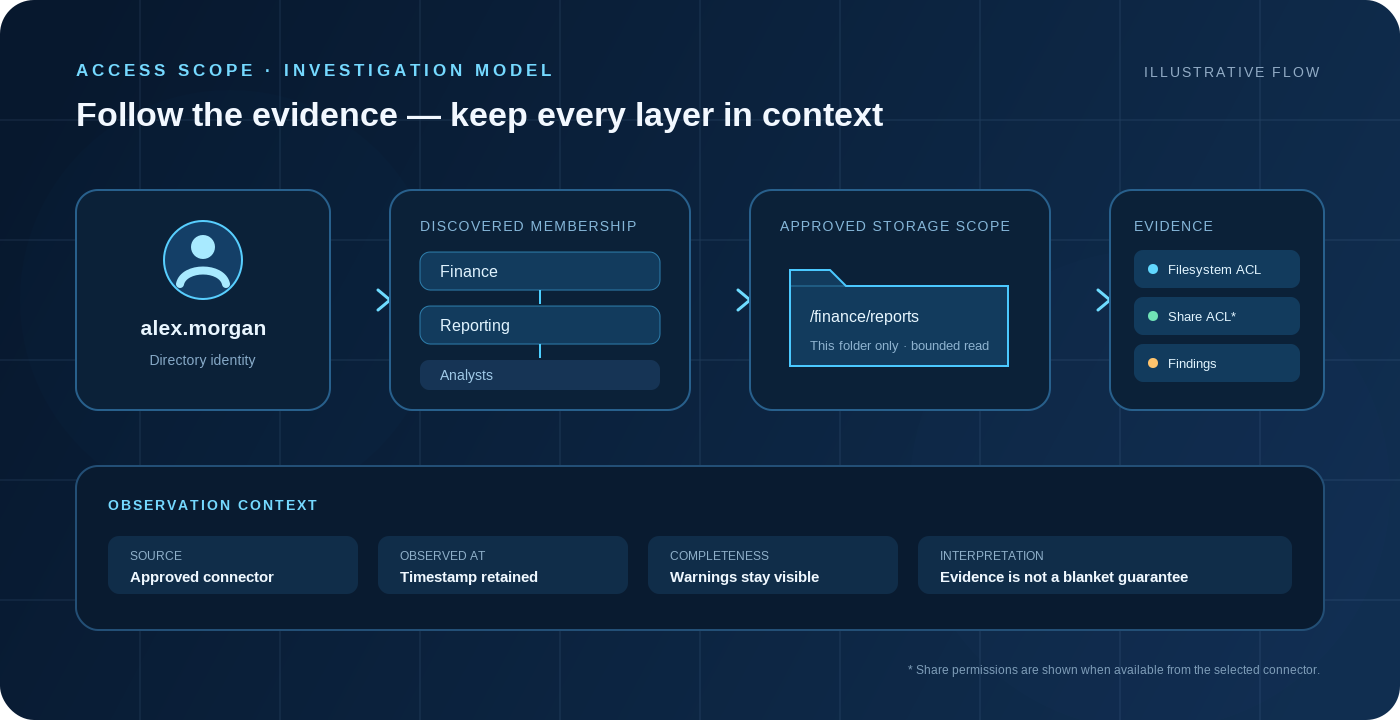
Illustrative sequence from directory identities to group relationships, folder permissions and evidence
عرض توضيحي للمنتج
02 / PRODUCT SYSTEM

أدلة بدلاً من الافتراضات.

تبقى ACL لنظام الملفات وأذونات المشاركة المتاحة ومسارات العضوية والنتائج وتفاصيل الجمع التقنية عناصر منفصلة. ويرافق المصدر ووقت الملاحظة وتحذيرات الاكتمال النتيجة لمساعدة الفرق على معرفة ما تم إثباته وما يحتاج إلى مراجعة.

03 / القدرات

القدرات

Use AccessScope to investigate access relationships and retain permission evidence without turning routine browsing into an unrestricted environment crawl.

AccessScope capabilitiesالوثائق الأصلية للإصدار v0.9.0 · الإنجليزية

Use AccessScope to investigate access relationships and retain permission evidence without turning routine browsing into an unrestricted environment crawl.

Directory intelligence

Search supported directory schemas, browse one tree branch at a time, distinguish users from groups, and inspect the account name, display name, DN and stable identifier. Native AD SIDs remain available in technical details. Generic LDAP identities retain their own identifier model; they are not converted into fabricated Windows SIDs.

Directory profiles include AD/Samba AD, OpenLDAP/RFC2307, generic LDAP, 389 Directory Server, FreeIPA and custom mappings. A profile is configurable compatibility, not certification of every vendor deployment.

Storage evidence and investigation

Collect one folder, an explicit path list, or a bounded expanded scope when the connector supports child enumeration. The interface separates summary, filesystem permissions, available share permissions, findings and technical collection details.

Use a user investigation to explain applicable ACL entries and discovered membership paths. Use Access Relationships to explore nested groups, application profiles and optional observed ACEs. Keep native ACL calculations separate from observed runtime access.

Operational administration

Manage service credentials, source-scoped application profiles, directory sign-in mappings, certificates, authenticators, passkeys and sessions. Review categorized diagnostics and the security audit. Configure SMTP, SNMPv3 or syslog notification channels and explicit connection monitoring targets.

Encrypted recovery points support verification and isolated restore drills. Release inspection checks package integrity and compatibility; it does not install updates in the browser.

Governed changes

Supported local Windows/POSIX ACL changes and selected AD operations use proposals, a different approver, current authorization, live before-state checks and explicit execution confirmation. They require additional deployment, source and delegation gates. Remote collectors, direct SMB and ONTAP REST do not acquire write support because a user is an administrator.

Trial and annual activation

The 30-day trial is stored with the installation. An annual license is signed and installation-bound. Current activation uses a local license file. Online checkout, customer billing accounts and online licensing are not deployed in v0.9.0.

Review the compatibility matrix, security model, and page-by-page manual.

04 / حالات الاستخدام

حالات الاستخدام

AccessScope is intended for administrators who need an explainable, scoped view of directory membership and storage permission evidence.

Where AccessScope fitsالوثائق الأصلية للإصدار v0.9.0 · الإنجليزية

AccessScope is intended for administrators who need an explainable, scoped view of directory membership and storage permission evidence.

Investigate a user's access

Start with an approved folder observation. Select a directory user with a native SID for a Windows DACL calculation, or use verified numeric identity mappings for a POSIX calculation. Review membership paths, the applicable permission layers and all completeness warnings before making an operational decision.

Explain nested group relationships

Search an identity, trace the graph and inspect individual relationship evidence. Compare two identities' discovered group sets when diagnosing why their memberships differ. A comparison of memberships does not establish equivalent effective permissions.

Review a specific folder

Inspect explicit paths and review current collected evidence, owner labels, permission entries and findings. A storage connector that cannot enumerate children remains an explicit-path workflow. AccessScope does not claim that an empty findings page means the environment is risk-free.

Retain evidence for a review

Save an investigation context, export selected observations, and record a finding review state. Record the application version, source, observation time and limitations alongside any exported conclusion.

Operate controlled changes

Where supported, propose an exact operation and obtain independent approval. The execution workflow rechecks the target and requires a fresh confirmation. Collection never automatically repairs a finding.

Operate the investigation service

Use logs, audit, channel delivery receipts, connection monitoring, verified backups and documented upgrades to keep the service diagnosable. Arrange source-specific acceptance before relying on it in production.

Start with the first investigation walkthrough. For questions about a particular NAS, directory schema or identity provider, use compatibility guidance and support.

05 / الأمان

الأمان

AccessScope is designed around scoped reads, explicit evidence limitations and separately governed infrastructure changes. These controls require correct d

Security and trustالوثائق الأصلية للإصدار v0.9.0 · الإنجليزية

AccessScope is designed around scoped reads, explicit evidence limitations and separately governed infrastructure changes. These controls require correct deployment, delegation and operational review.

Deployment boundaries

Deploy the service on a protected management network. Default Docker publication is loopback. Configure the exact HTTPS origin and certificate trust before allowing remote browsers. The Windows installer recipe uses a restricted service identity and a persistent protected data directory; Windows installation and ACL behavior still require target-platform acceptance.

Restrict outbound connections to approved directory, storage, identity-provider and notification endpoints. The SMB egress declaration does not install a firewall. Keep infrastructure writes disabled until read-only acceptance and delegation are complete.

Identity and access

Local passwords are stored as scrypt hashes. Service secrets and private key material managed by the application are encrypted at rest using the installation vault key. A person who controls the host and matching key is outside the protection offered by that encryption.

Application groups collect profiles. Profiles grant actions on explicit storage sources. New sources are not automatically granted to existing profiles. MFA, recent identity confirmation, independent approval and per-plan execution consent provide separate controls.

Audit and diagnostics

The audit records security-relevant application actions. Diagnostics categorize backend and client-reported frontend events while excluding passwords, form contents and tokens. Neither mechanism is a claim to record every event in an operating system or connected service.

Signed audit checkpoints can be retained independently. A local chain and its local key alone cannot prove integrity against a host administrator who replaces both.

Licensing and privacy

The v0.9.0 application verifies signed license files locally. It does not contact a WeserCode license database. A trial/license expiry blocks normal use but retains the data. Customers should export and back up important evidence before expiry.

Assurance

The installed-wheel suite recorded 327 passing tests and 27 environment-dependent skips. This is engineering evidence, not a penetration-test certification, a compliance certificate or production acceptance of every connector. See validation.

Report suspected vulnerabilities through the security reporting page. Do not send credentials or production databases through an ordinary website form.

06 / INTERACTIVE WALKTHROUGH

حوّل سؤال الوصول إلى إجابة قابلة للمراجعة.

يوضح العرض التفاعلي نهج المنتج باستخدام بيانات نموذجية. ولا يتصل بتثبيت AccessScope مباشر.

عرض تفاعلي للمنتجمساحة عمل توضيحية
01 / 04

ابدأ بنطاق محدد بوضوح.

اختر مجلداً معتمداً أو قائمة مسارات صريحة أو نطاقاً محدوداً عندما يدعم الموصل استعراض العناصر الفرعية. التصفح المعتاد لا يبدأ مسحاً غير محدود.

AccessScope · Enterprise 0.9.0READ ONLY
مجلد معتمد\\fileserver\finance\reports
ScopeThis folder only
CollectionRead-only observation
عرض توضيحي — لا يوجد اتصال مباشر بتثبيت AccessScope.
08 / اتصل بنا

الأمان عبر موافقات منفصلة.

لا يقوم التحقيق بإصلاح النتائج تلقائياً. تمر التغييرات المدعومة بمسار منفصل: اقتراح دقيق وموافقة مستقلة وفحص جديد للحالة وتأكيد صريح للتنفيذ. يعتمد الدعم الفعلي على الموصل والتفويض وقبول البيئة المستهدفة.

ناقش التكامل والتقييم والاحتياجات.

طلب عرض سعر
Contact WeserCode about AccessScopeالوثائق الأصلية للإصدار v0.9.0 · الإنجليزية

Describe the product version, intended platform and integration you need. Avoid production directory/ACL exports and credentials in an initial inquiry.

The confirmed general contact route is https://wesercode.de/contact. A dedicated product inquiry form needs a real backend and confirmed recipient before publication.

Prepared form content

Fields: Name, Company, Email, Topic, Product version (if installed), Deployment platform and Message.

Topic choices: Evaluation, Annual license quote, Deployment planning, Integration question, Existing order, Other product question.

Help text: “Describe your question using test or redacted details. Never include passwords, tokens, private keys or a full customer database.”

Submit label: Send inquiry. Show a genuine receipt/reference only after backend acceptance. On failure, explain that the message was not sent and retain nonsecret input.

Link the actual privacy notice; do not treat acknowledging it as consent to unrelated marketing.

Use support for defects and private security reporting for vulnerabilities.

نحتفظ بالنص الكامل لصفحات المنتج باللغة الإنجليزية الأصلية، وتعتمد الإمكانيات على دعم الموصل والبيئة المستهدفة. AccessScope v0.9.0 product documentation remains under editorial review.